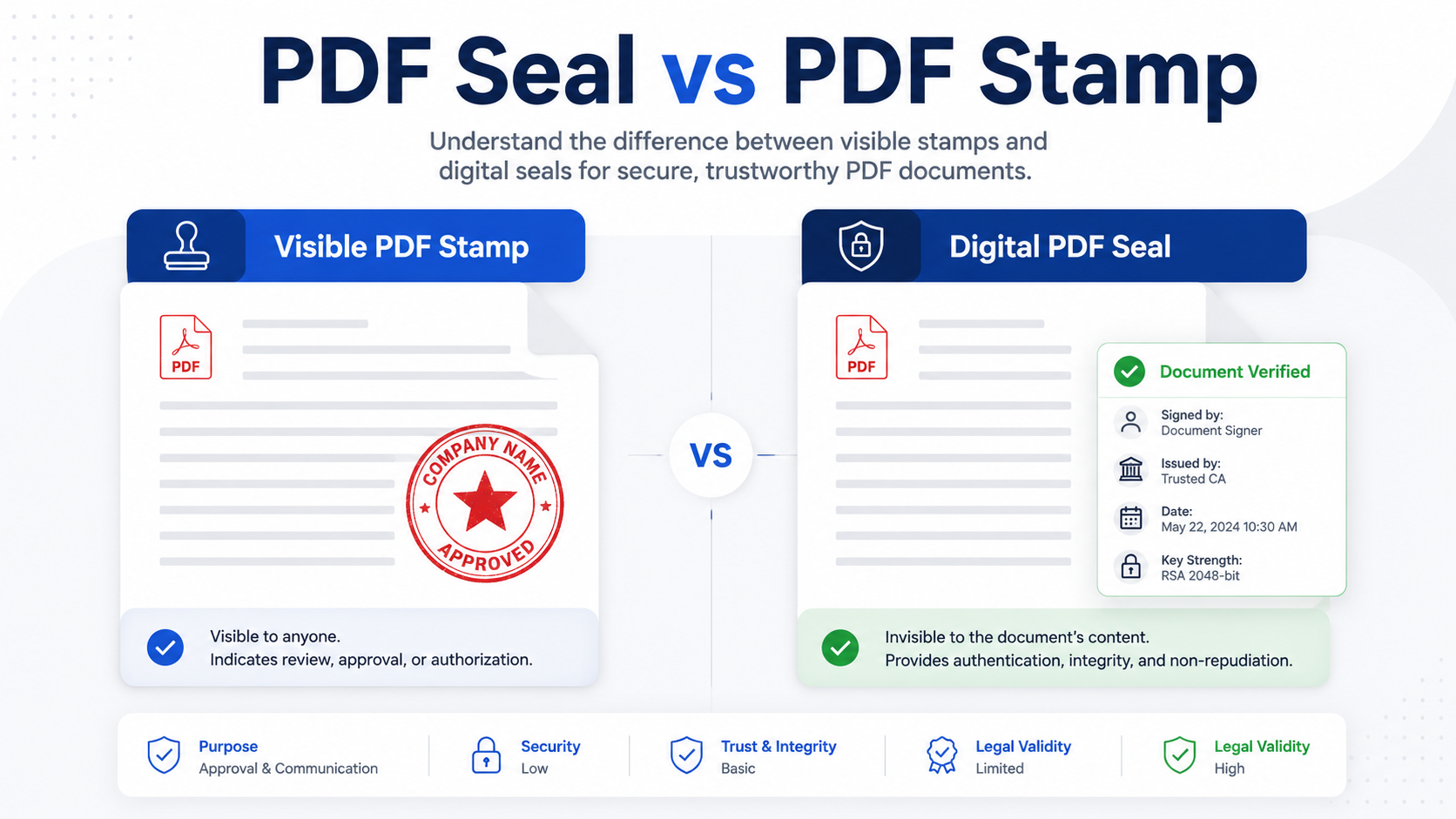
PDF Seal vs PDF Stamp: What’s the Difference and Which One Should You Use?
Quick answer: A PDF seal is a broad term that may refer to a visible company seal, an electronic seal, or a certificate-based digital...
Articles about visible PDF stamps, seal images, page ranges, placement, readability and export checks.
PDF stamping topic center
This topic center explains how to add visible marks to PDF files for routine office work. It covers received marks, review labels, approval copies, company seal images, and consistent page-level status marks. Place the mark without hiding names, dates, totals, signatures, page numbers, tables, or QR codes that people still need to read.
New users should begin with the all-pages workflow. It explains why a stamp that looks correct on page one can cover a table, a landscape attachment, or a signature block later in the same file. Next, prepare a transparent PNG seal image and check its scale in the preview. A clean source image avoids the white rectangle problem and gives you more control over opacity, rotation, and placement.
After the basics, select the guide that matches the task: invoice placement, batch stamping, stamp opacity, or whether a visible mark is enough for the intended workflow. The articles separate visual status marks from identity verification and certificate-backed digital signatures. That distinction matters because a convenient office mark should not be mistaken for formal approval evidence or document-integrity protection.
Before sharing the exported file, keep the original PDF and inspect representative pages. Check the first page, a dense text page, a table page, and the final page. This short review catches most placement and readability problems before the document reaches the next person in the workflow.
Search by task, format, or PDF workflow.
Quick answer: A PDF seal is a broad term that may refer to a visible company seal, an electronic seal, or a certificate-based digital...
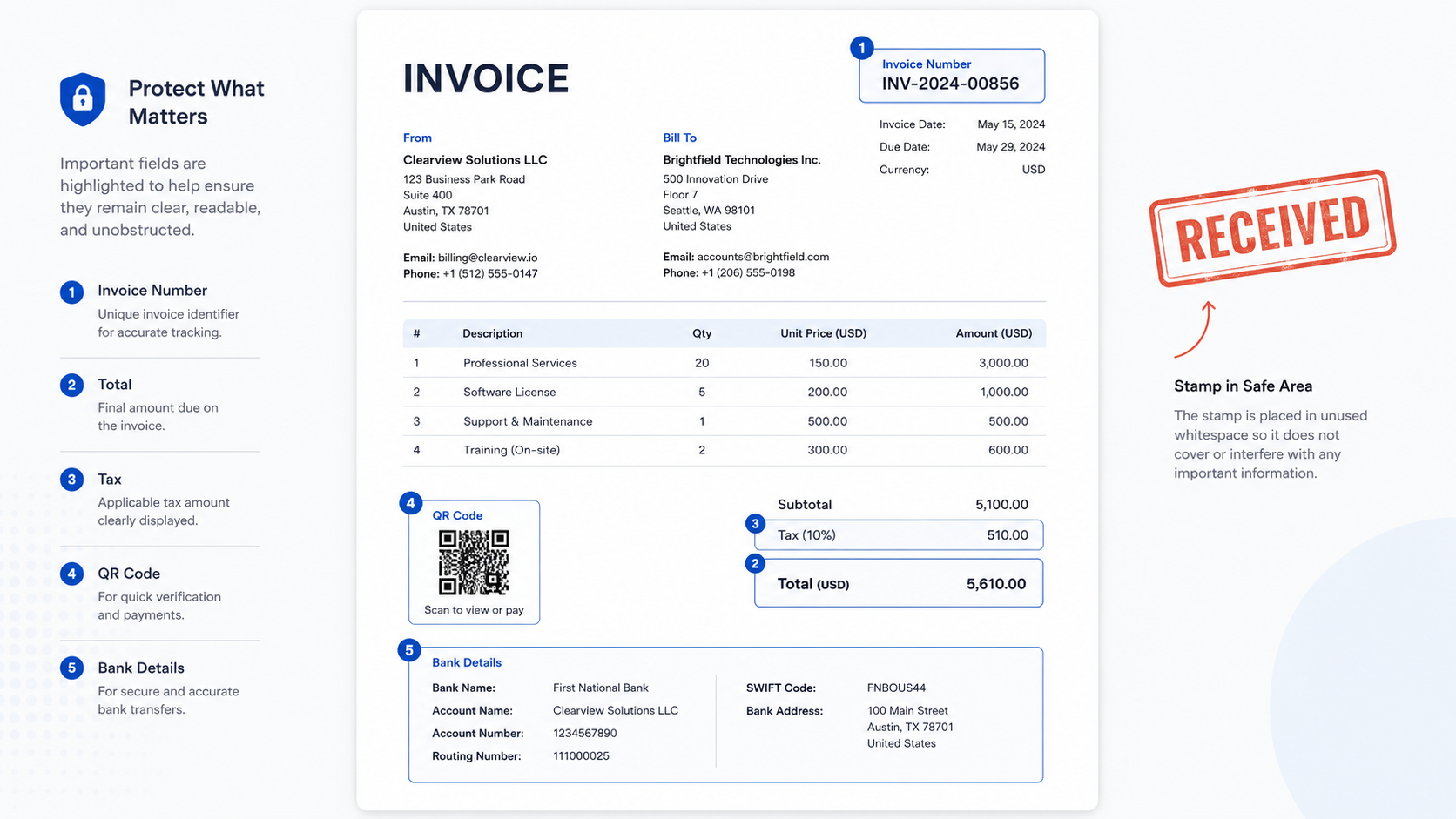
Direct answer: When stamping an invoice PDF, keep the stamp away from invoice numbers, totals, tax fields, payment instructions, QR codes, bank details, and...
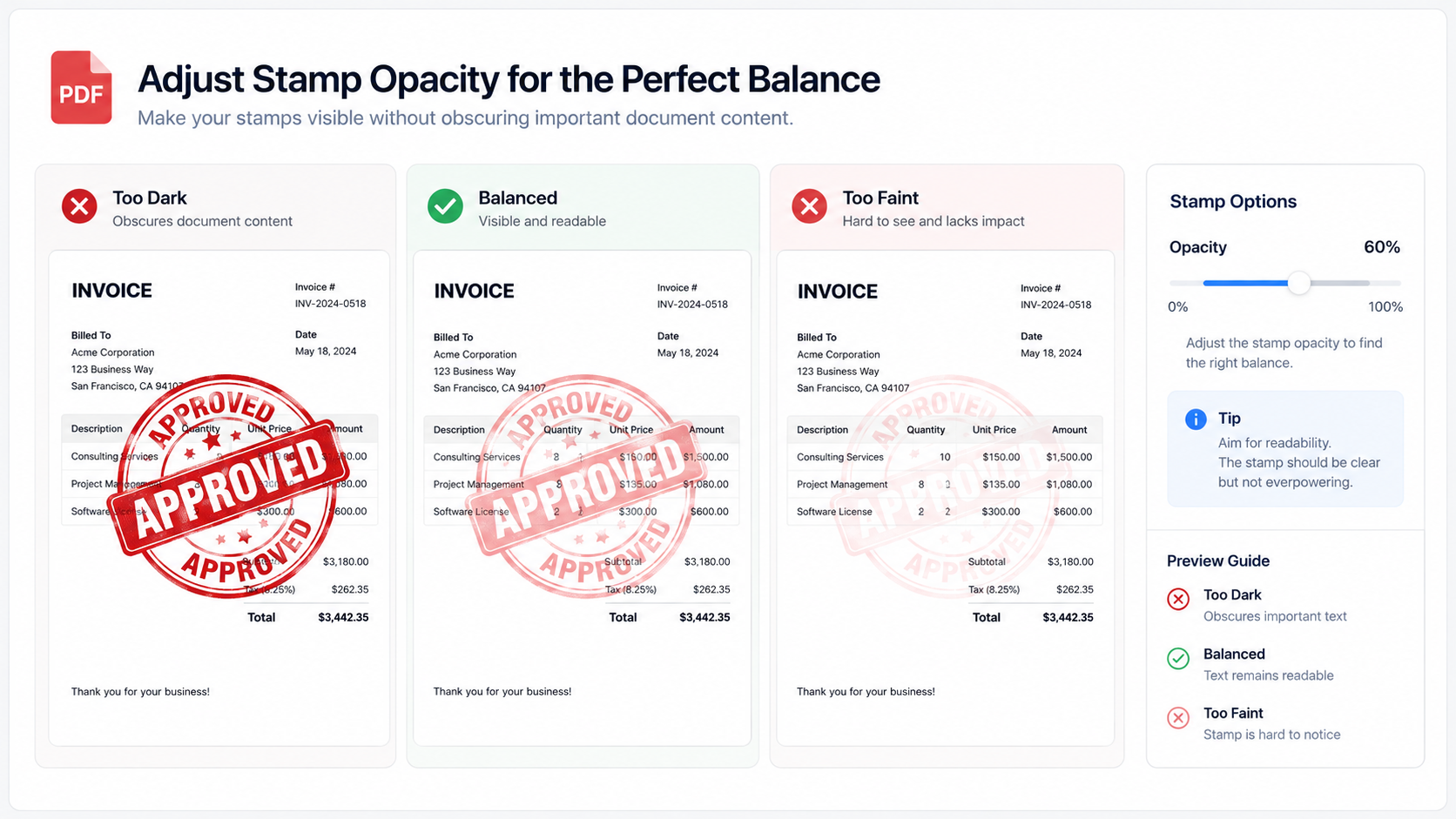
Direct answer: PDF stamp opacity should be high enough for the mark to be recognized, but low enough that names, totals, dates, clauses, QR...
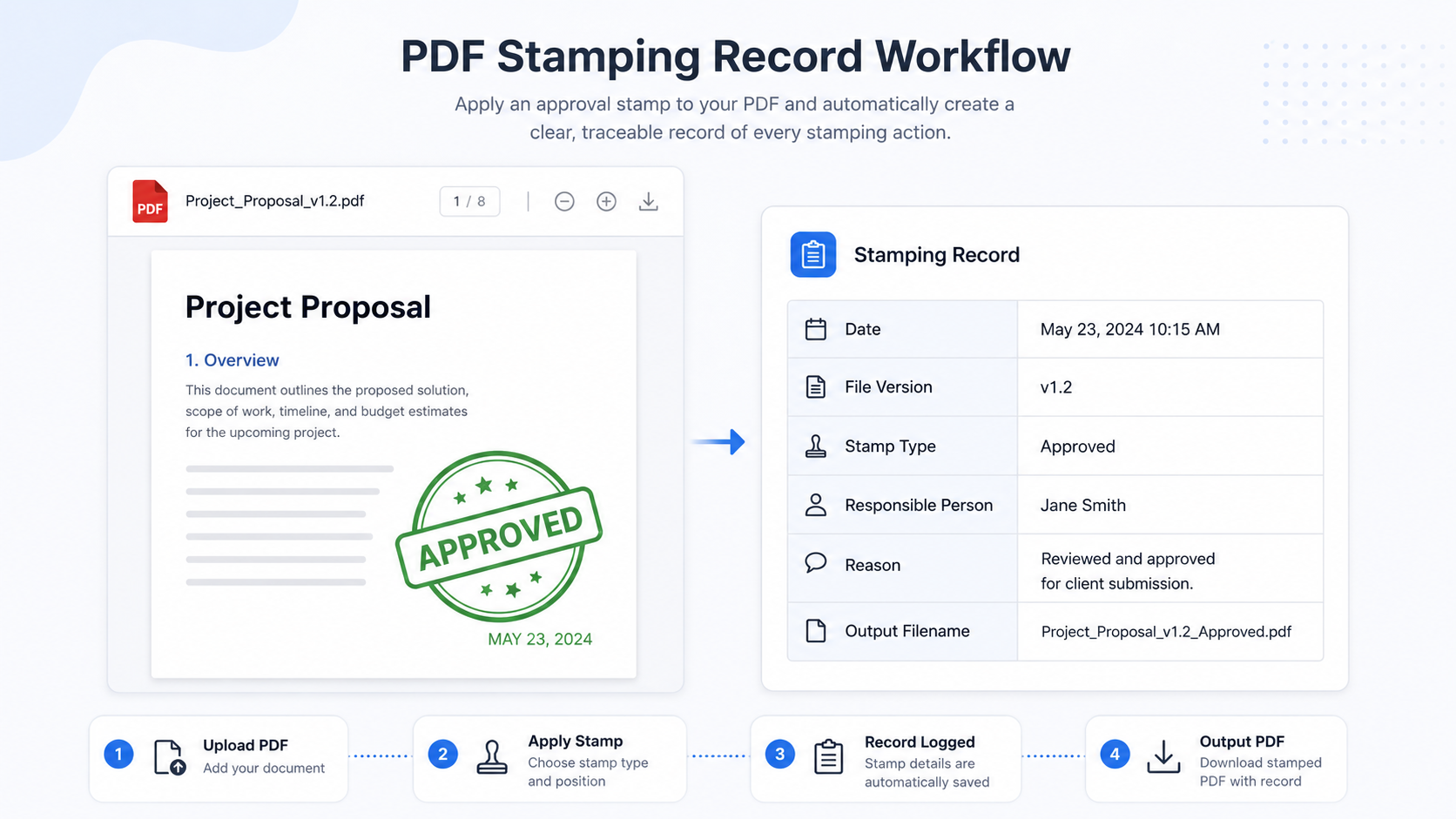
Direct answer: A visible PDF stamp shows a status on the page, but it does not automatically explain who placed it, why it was...
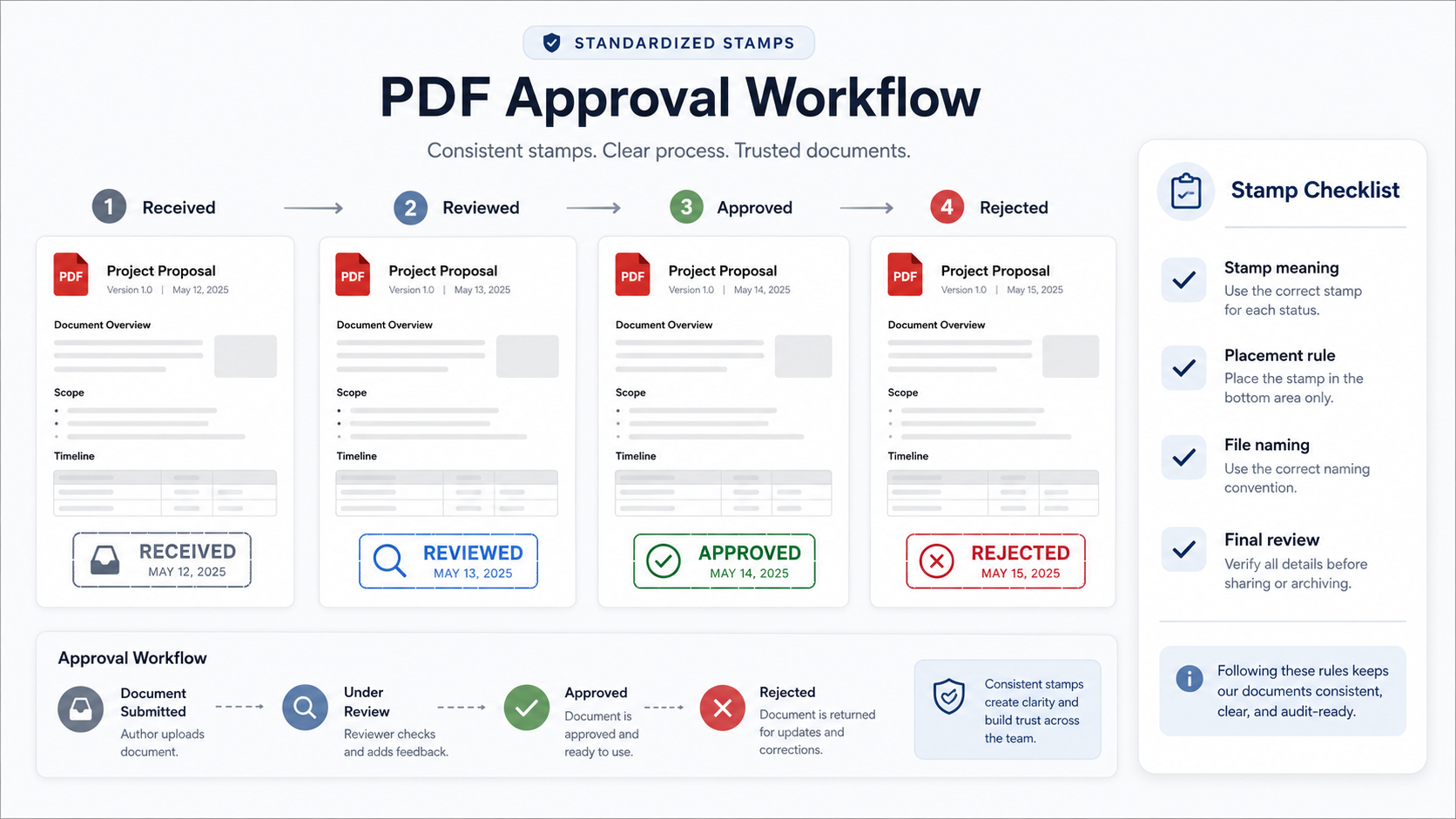
Direct answer: Small teams can standardize PDF approval stamps by defining stamp names, meanings, colors, placement rules, file naming rules, and review steps before...
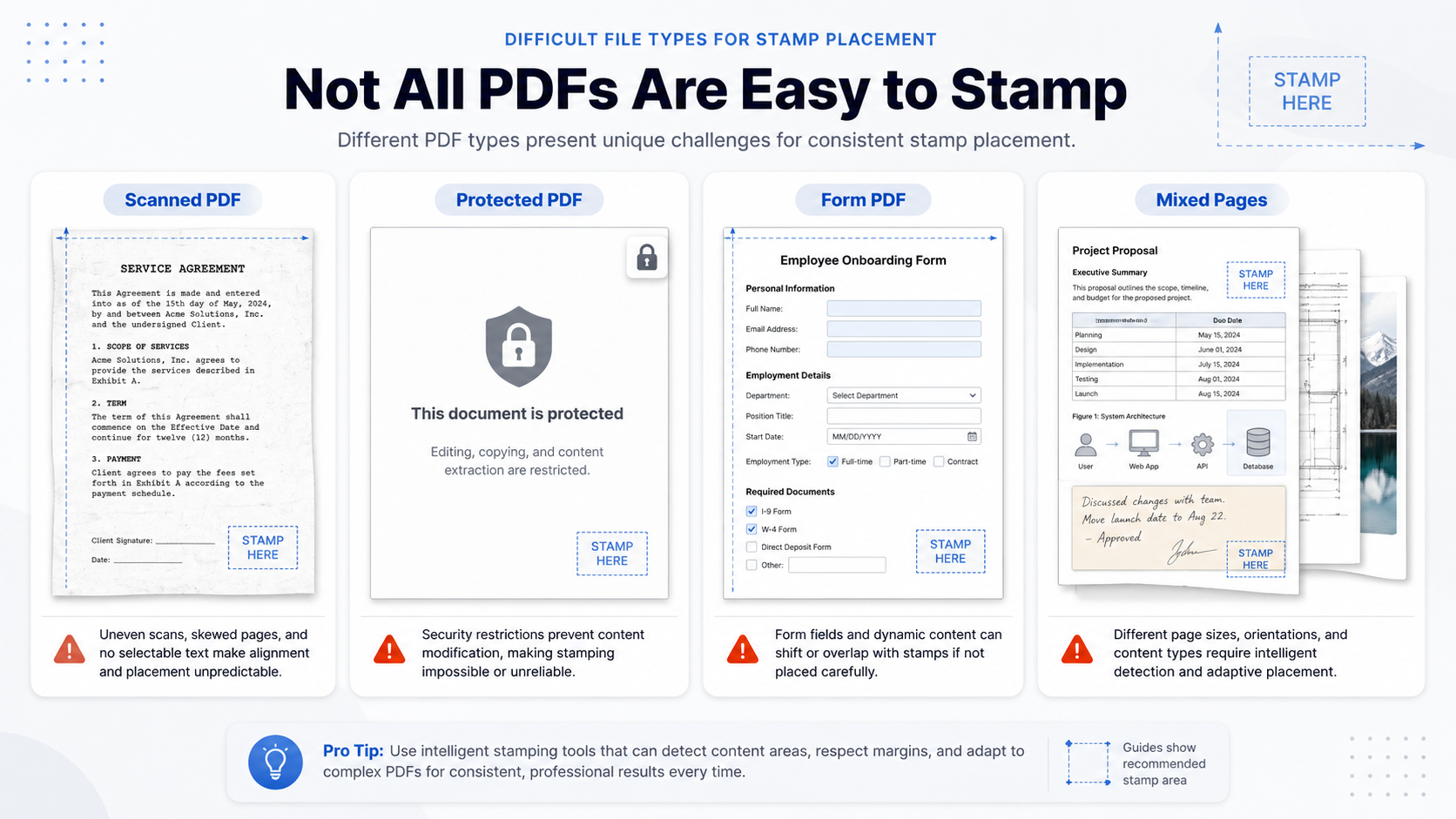
Direct answer: Some PDFs are harder to stamp because they are scanned images, password-protected files, restricted documents, flattened forms, rotated pages, or files with...
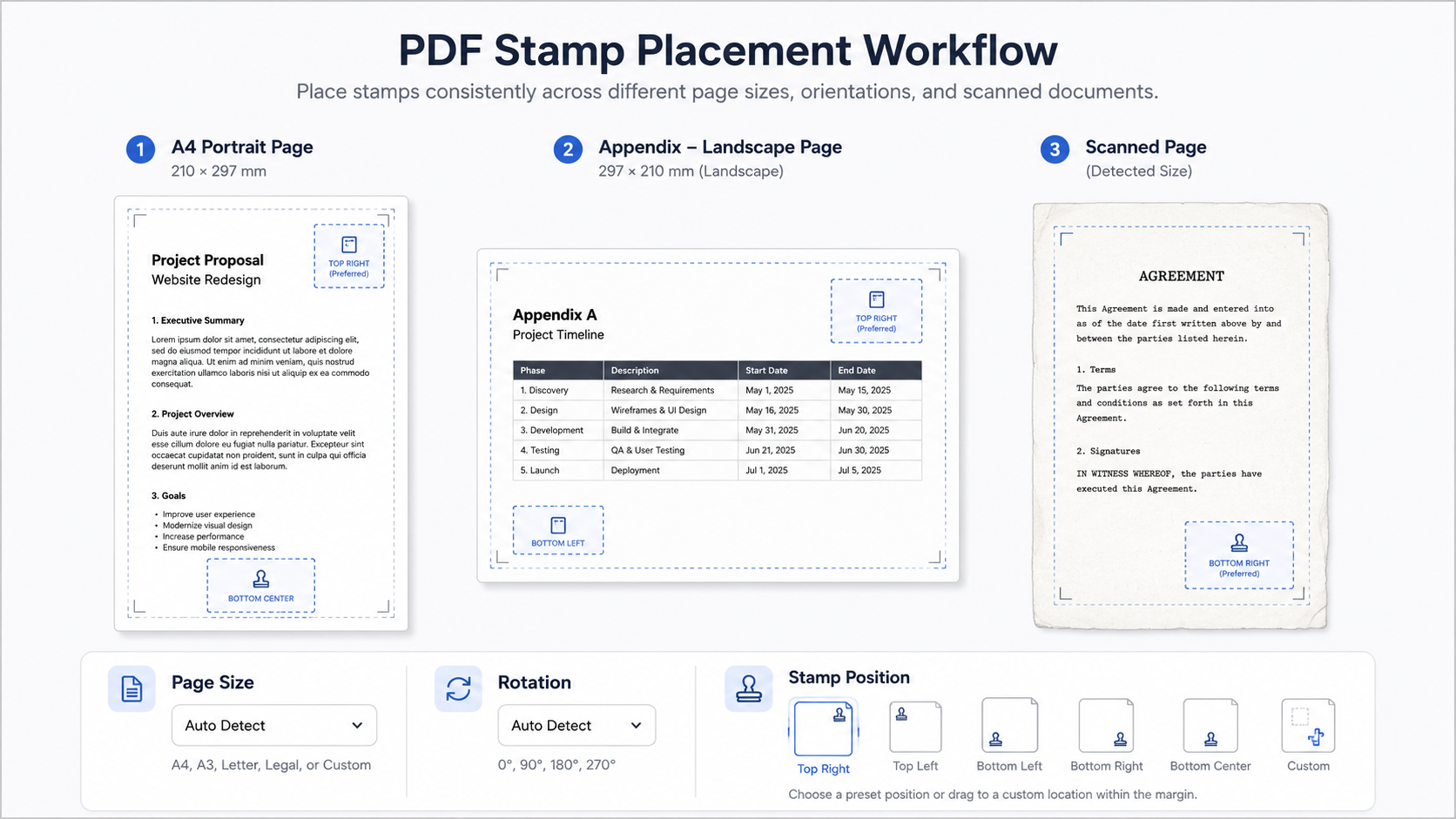
Direct answer: PDF stamps may shift, stretch, or land in the wrong corner when page size and page rotation are ignored. A PDF can...
Test a PDF seal image on three representative pages. Check transparency, halos, empty canvas, resolution, placement, and the exported file before release.
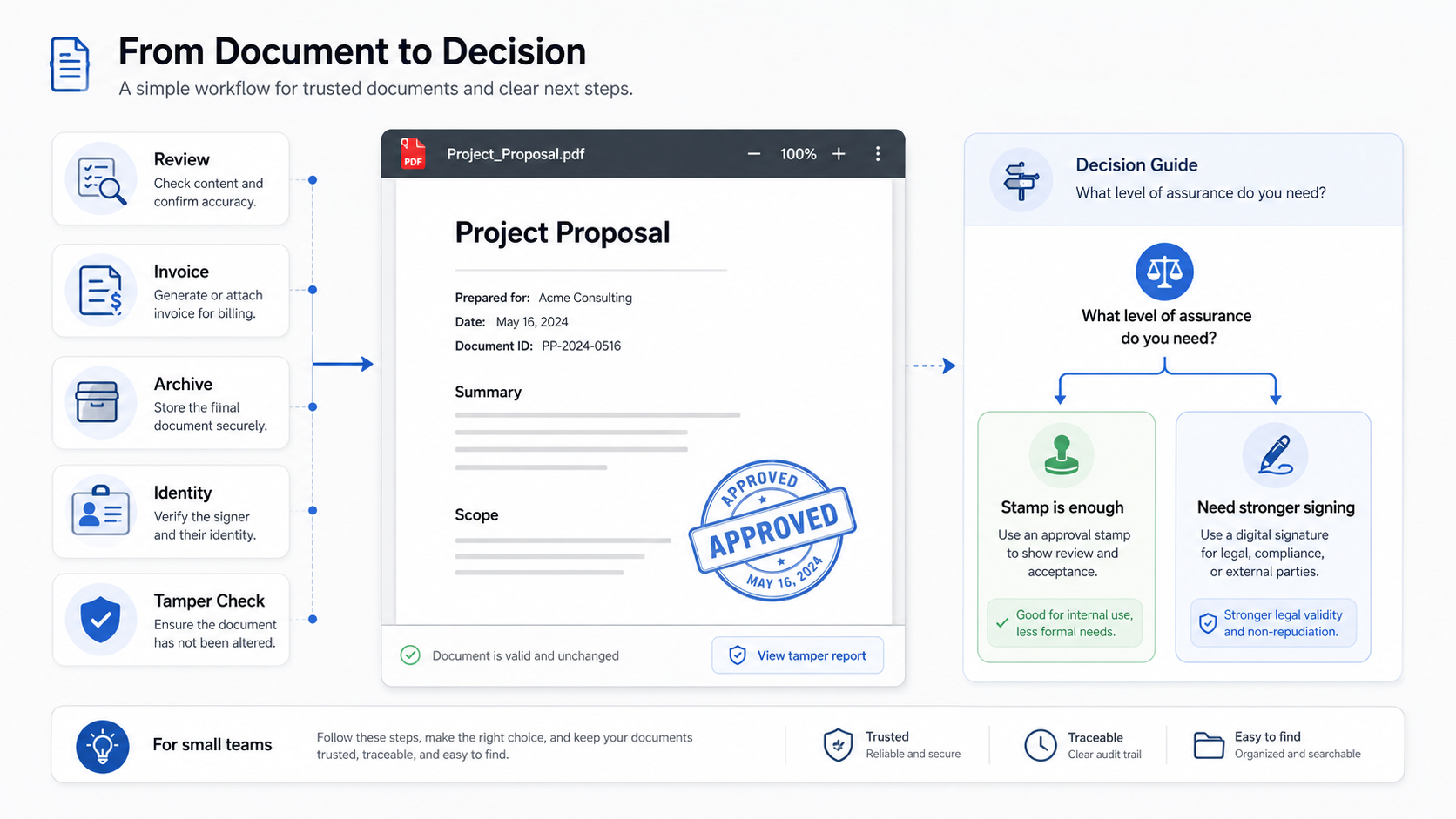
Direct answer: A visible PDF stamp is usually enough when the goal is to show document status, support internal routing, or make a review...
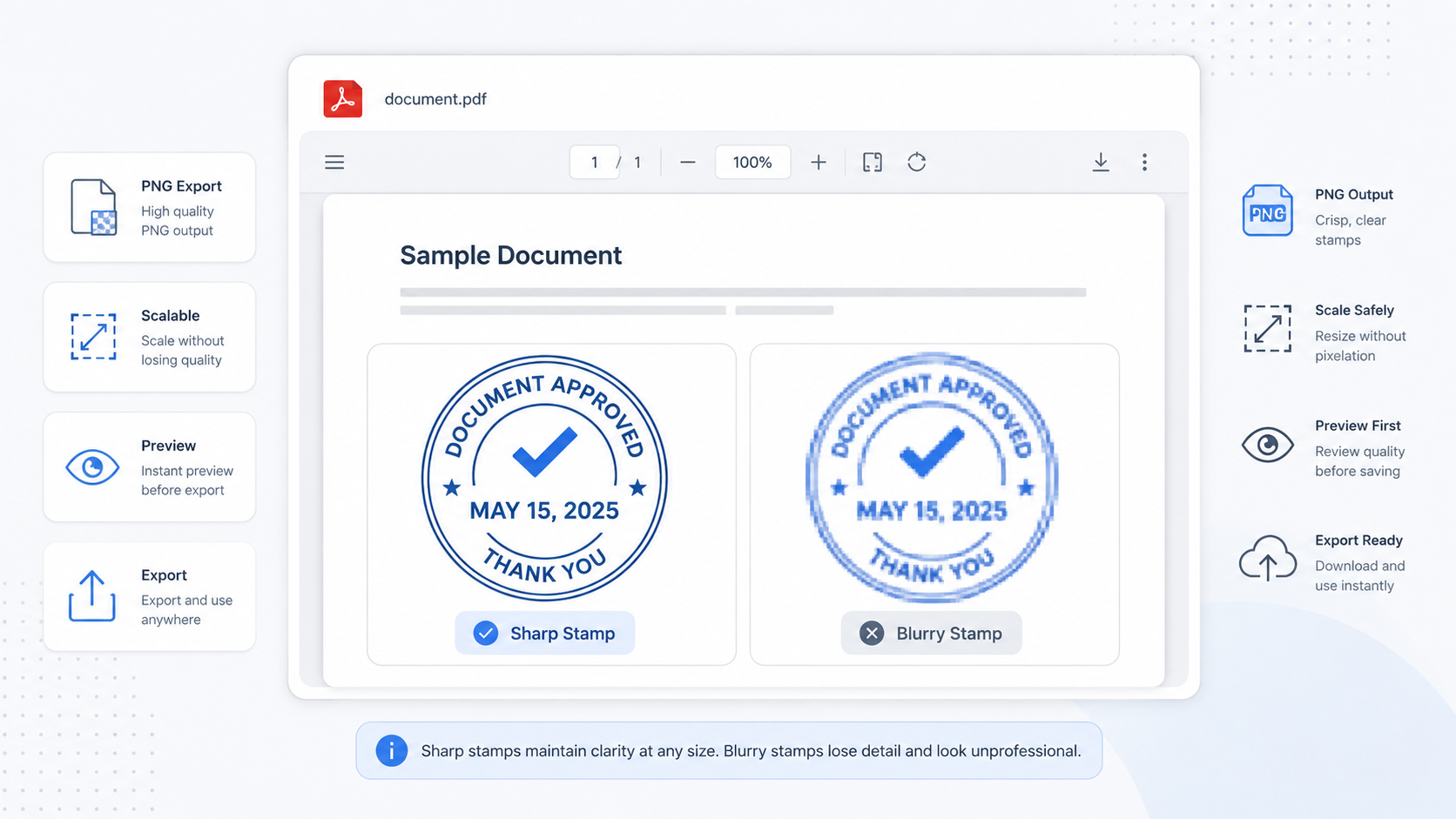
A blurry PDF stamp is rarely caused by one single problem. In most cases, it comes from a low-resolution seal image, aggressive scaling, a...