
How to Split a PDF by Chapter Without Missing Pages
When a long PDF is split by chapter, missing pages usually come from a page-number mismatch rather than a broken split button. The table...
In-depth tutorials, guides, and technical articles about PDF stamping and document privacy.
Search by task, format, or PDF workflow.
When a long PDF is split by chapter, missing pages usually come from a page-number mismatch rather than a broken split button. The table...

When you need only part of a long PDF, the hardest choice is often not the button. It is the output: do you need...

Fix sideways pages, mixed portrait and landscape images, and crop risks after converting images to PDF with a practical review workflow.

Converting PDF pages to images? Compare JPG and PNG for photos, text, tables, charts, and screenshots, with practical DPI and export-check guidance.

Learn how to add a PDF watermark to selected, odd, or even pages with PDF SealBox, including Range, Odd, Even, and Exclude examples.

If you want to keep a PDF cover page but hide its number, most page-numbering tools can handle that. The harder requirement is making...

Can You Search Text After Converting Images to PDF? OCR vs. Image-Only PDFs Usually, no. Converting a JPG, PNG, phone photo, or scan into...

Photos to PDF: How to Choose Page Size, Margins, Contain, and Fill When you turn photos into a PDF, the difficult part is rarely...
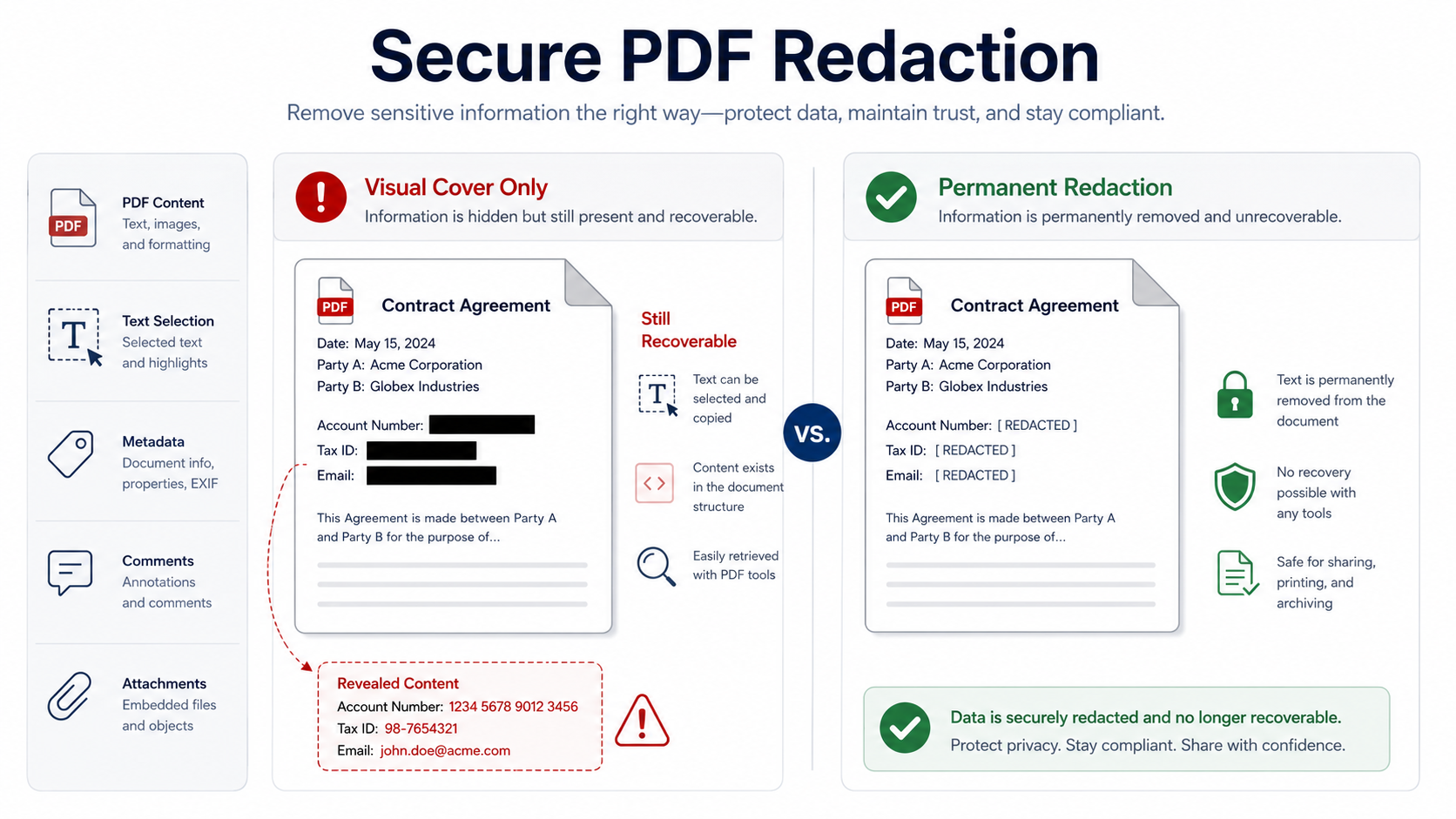
A practical review process for removing confidential content, hidden data, comments, attachments, and document history before external distribution. Direct answer: Before sharing a stamped...
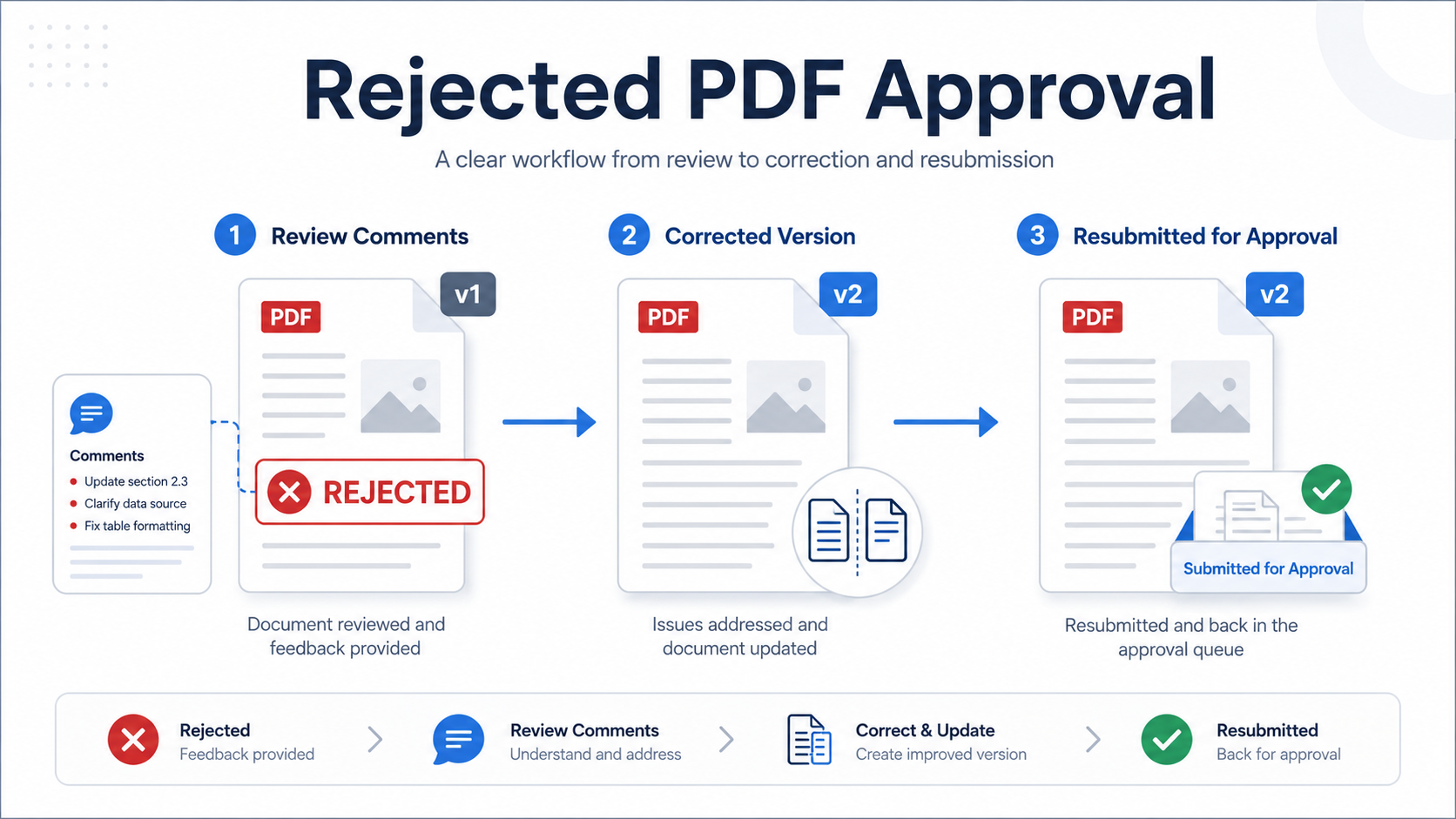
Direct answer: When a PDF is rejected in an approval workflow, do not overwrite the rejected file or simply remove the rejection mark. Record...