How to Stamp an Invoice PDF Without Hiding Totals or QR Codes
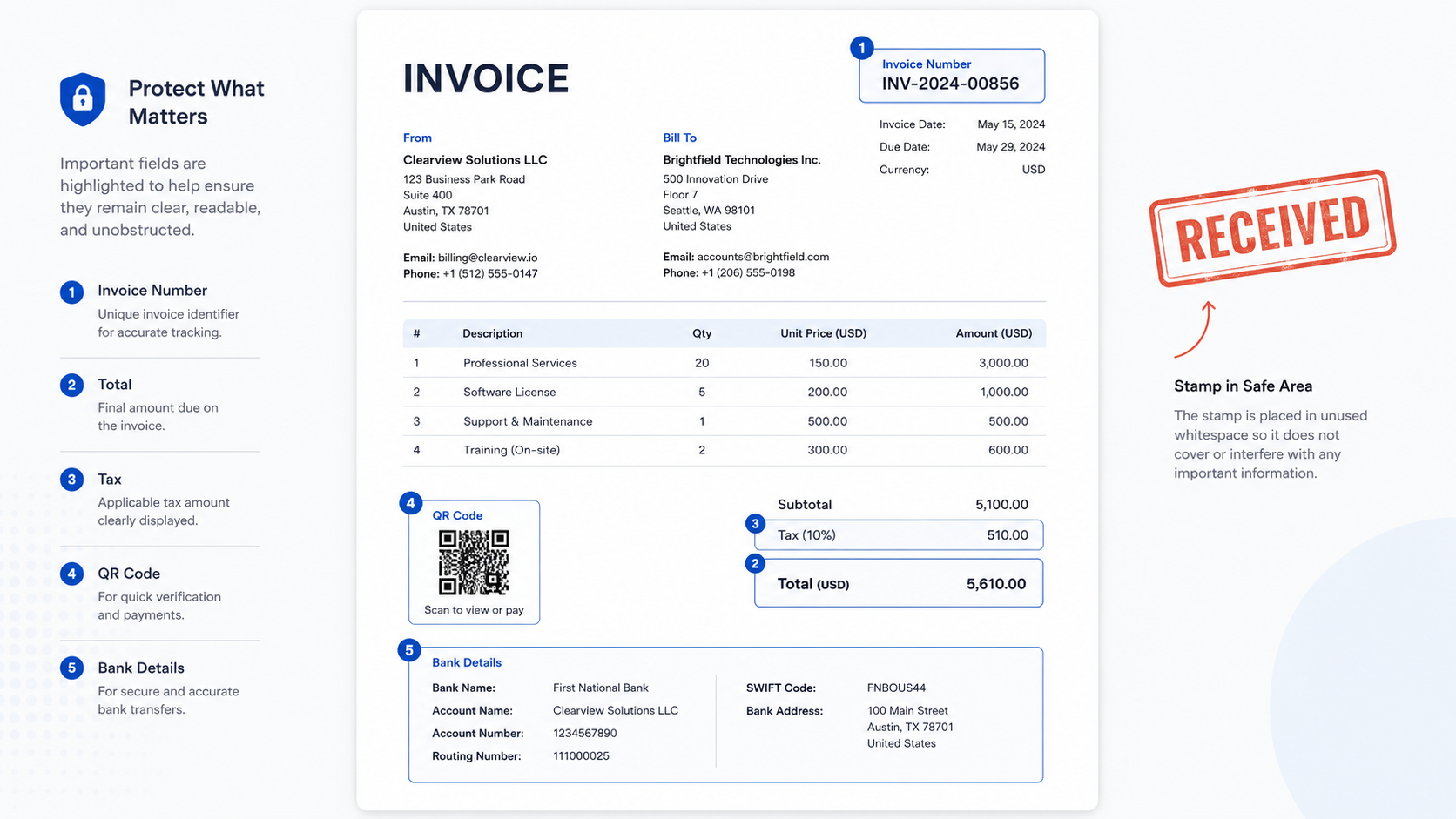
Direct answer: When stamping an invoice PDF, keep the stamp away from invoice numbers, totals, tax fields, payment instructions, QR codes, bank details, and...
Browse related blog articles from this archive.
Search by task, format, or PDF workflow.
Direct answer: When stamping an invoice PDF, keep the stamp away from invoice numbers, totals, tax fields, payment instructions, QR codes, bank details, and...
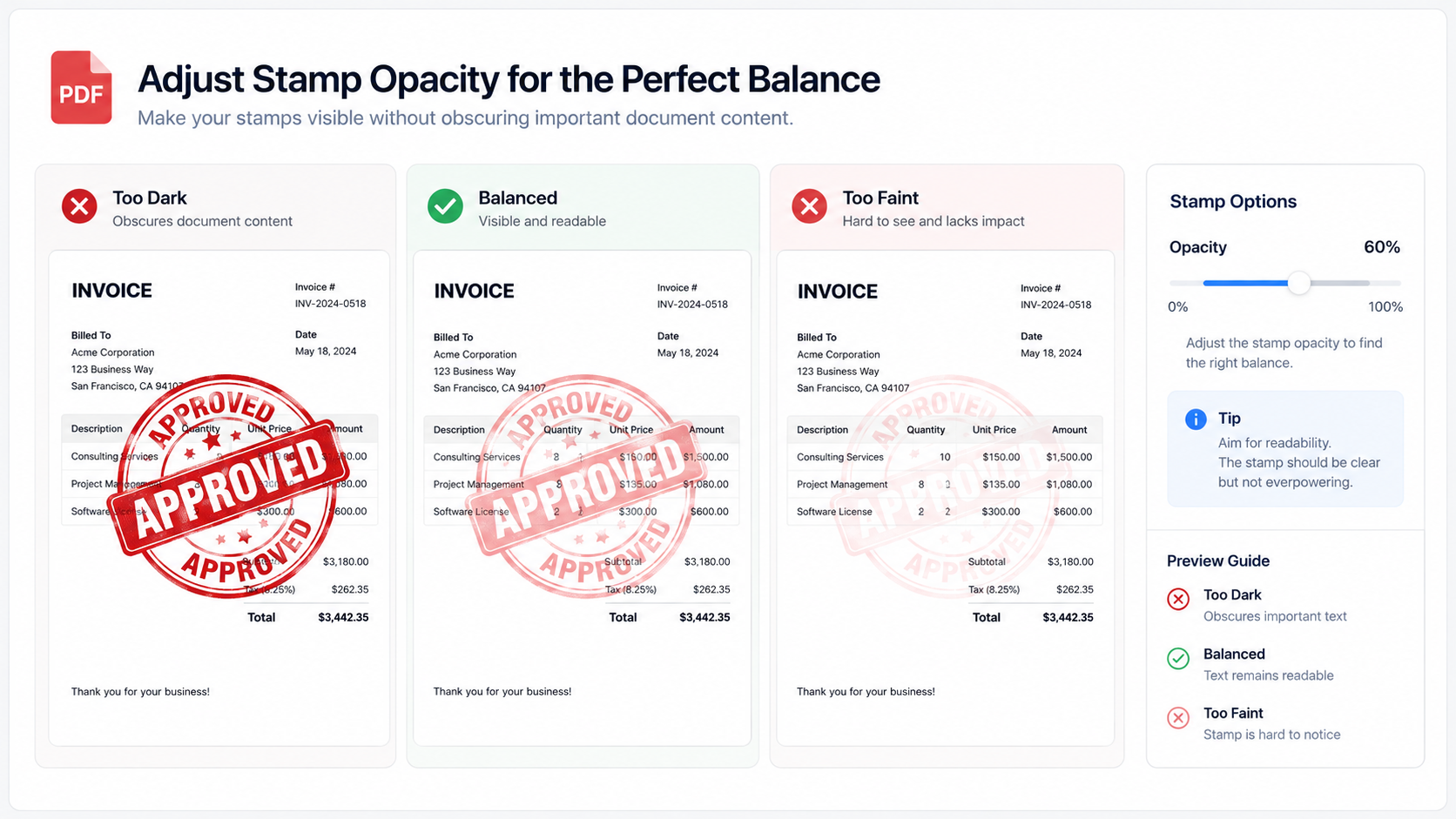
Direct answer: PDF stamp opacity should be high enough for the mark to be recognized, but low enough that names, totals, dates, clauses, QR...
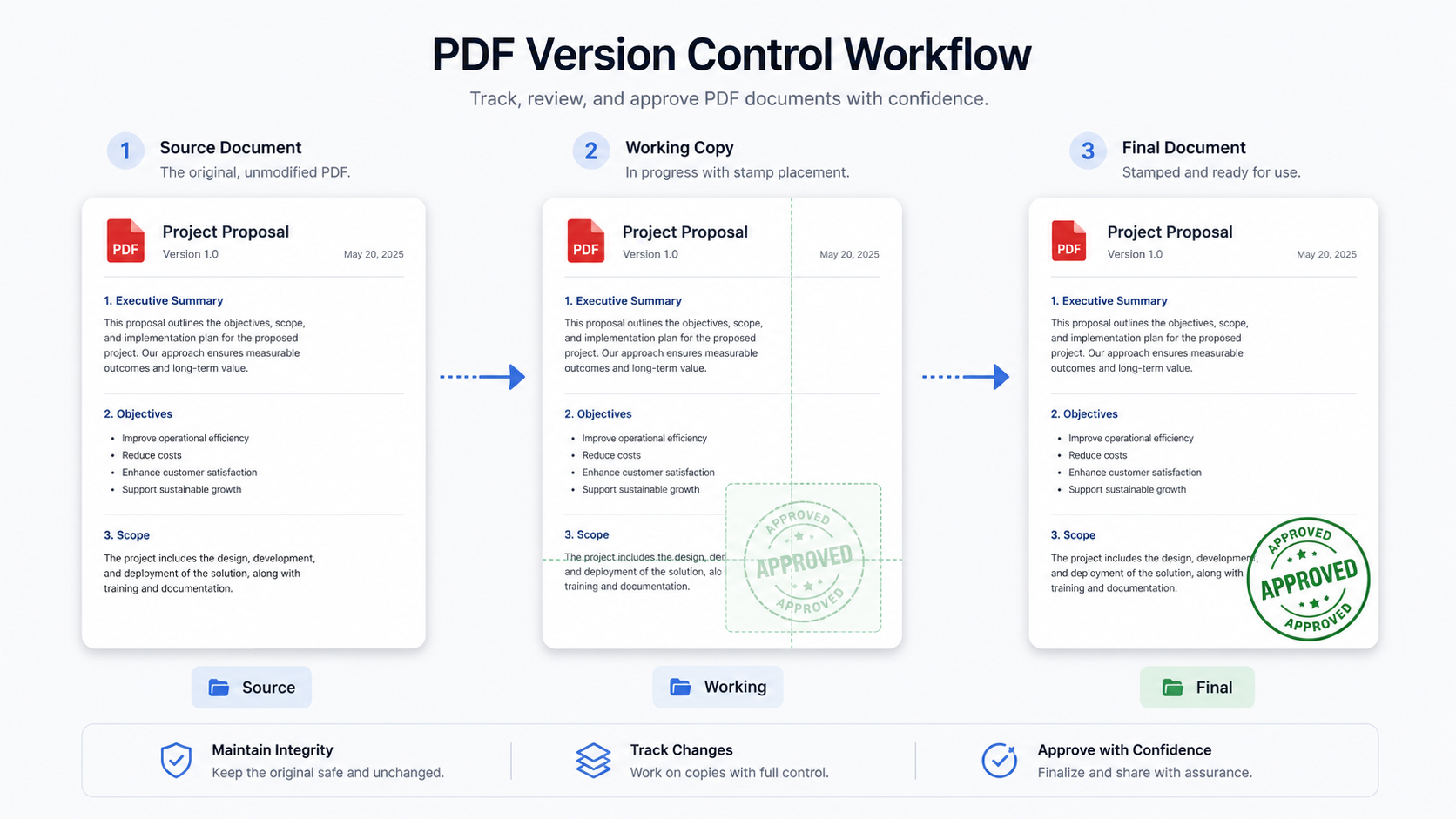
Direct answer: Keep an unstamped original PDF before adding seals, stamps, or signature images because the final stamped file may need to be corrected,...
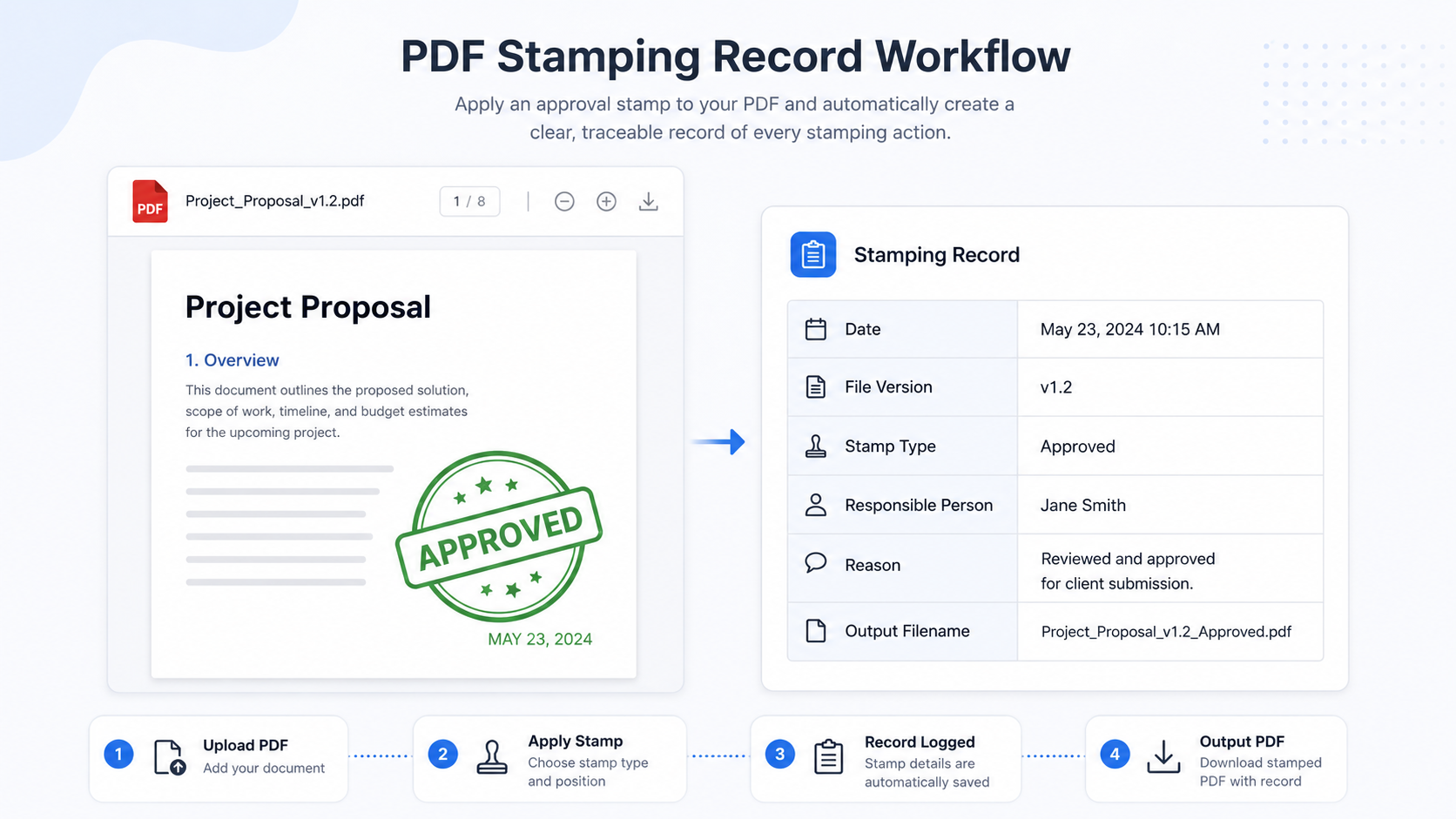
Direct answer: A visible PDF stamp shows a status on the page, but it does not automatically explain who placed it, why it was...
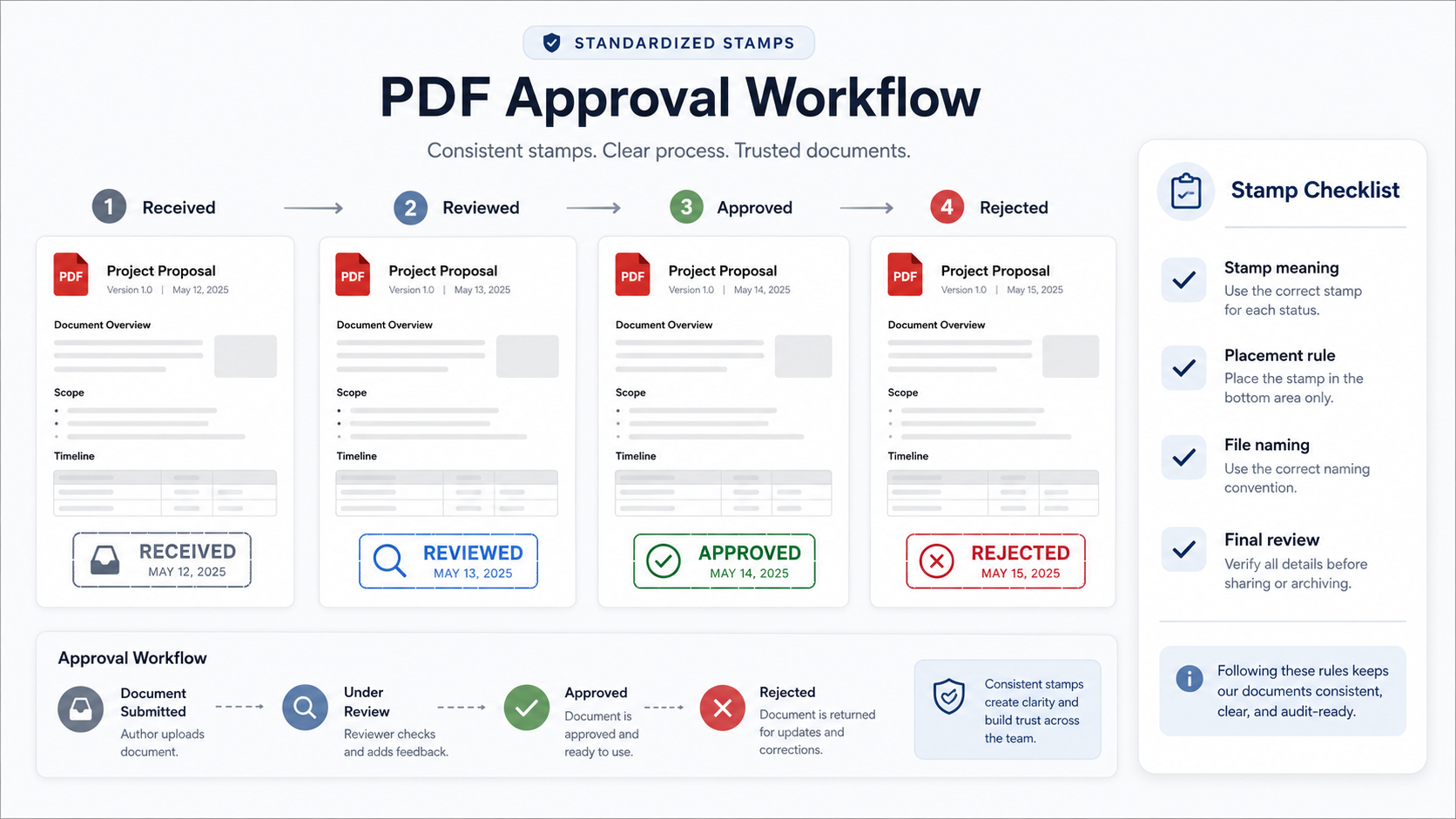
Direct answer: Small teams can standardize PDF approval stamps by defining stamp names, meanings, colors, placement rules, file naming rules, and review steps before...
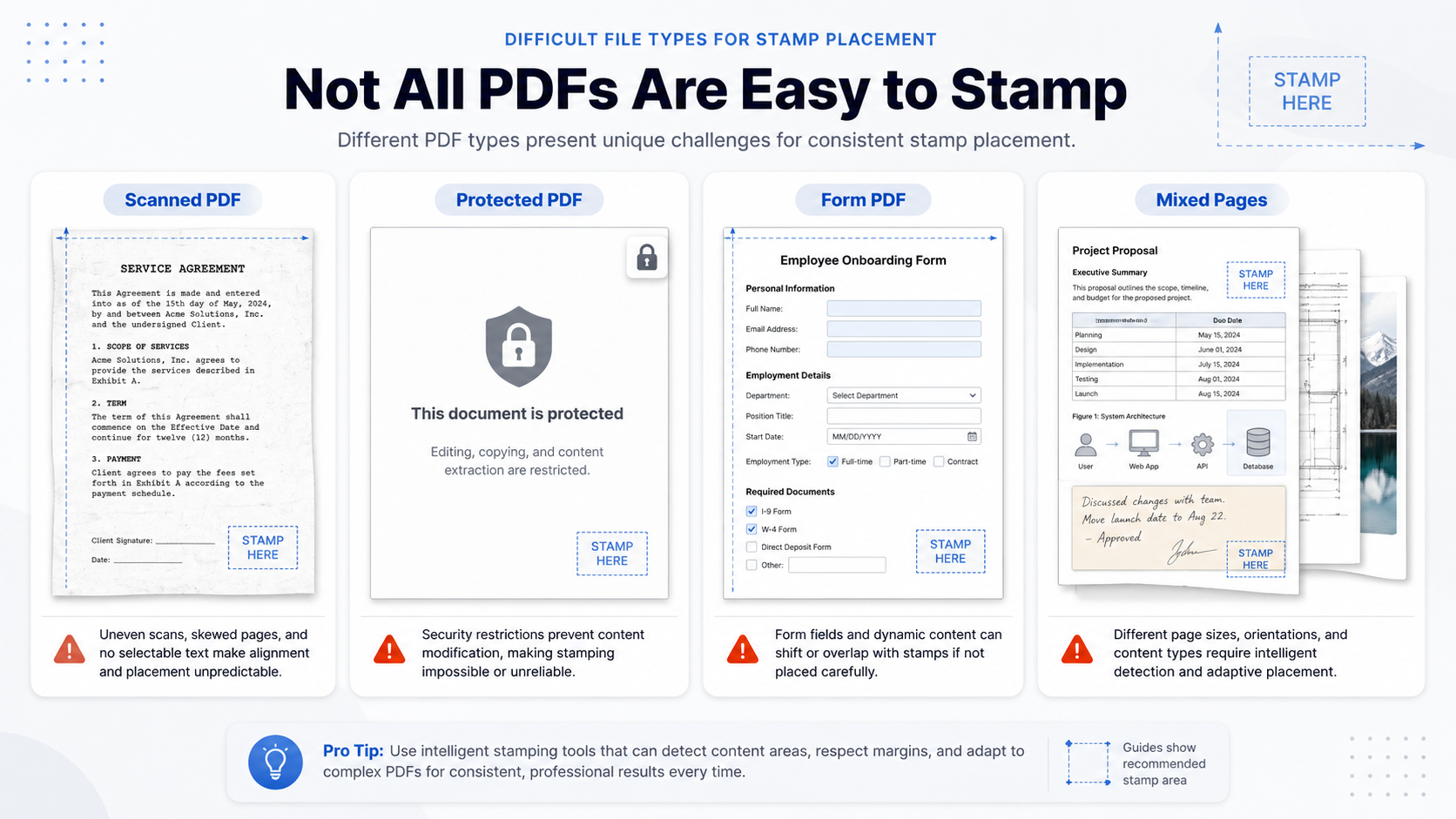
Direct answer: Some PDFs are harder to stamp because they are scanned images, password-protected files, restricted documents, flattened forms, rotated pages, or files with...
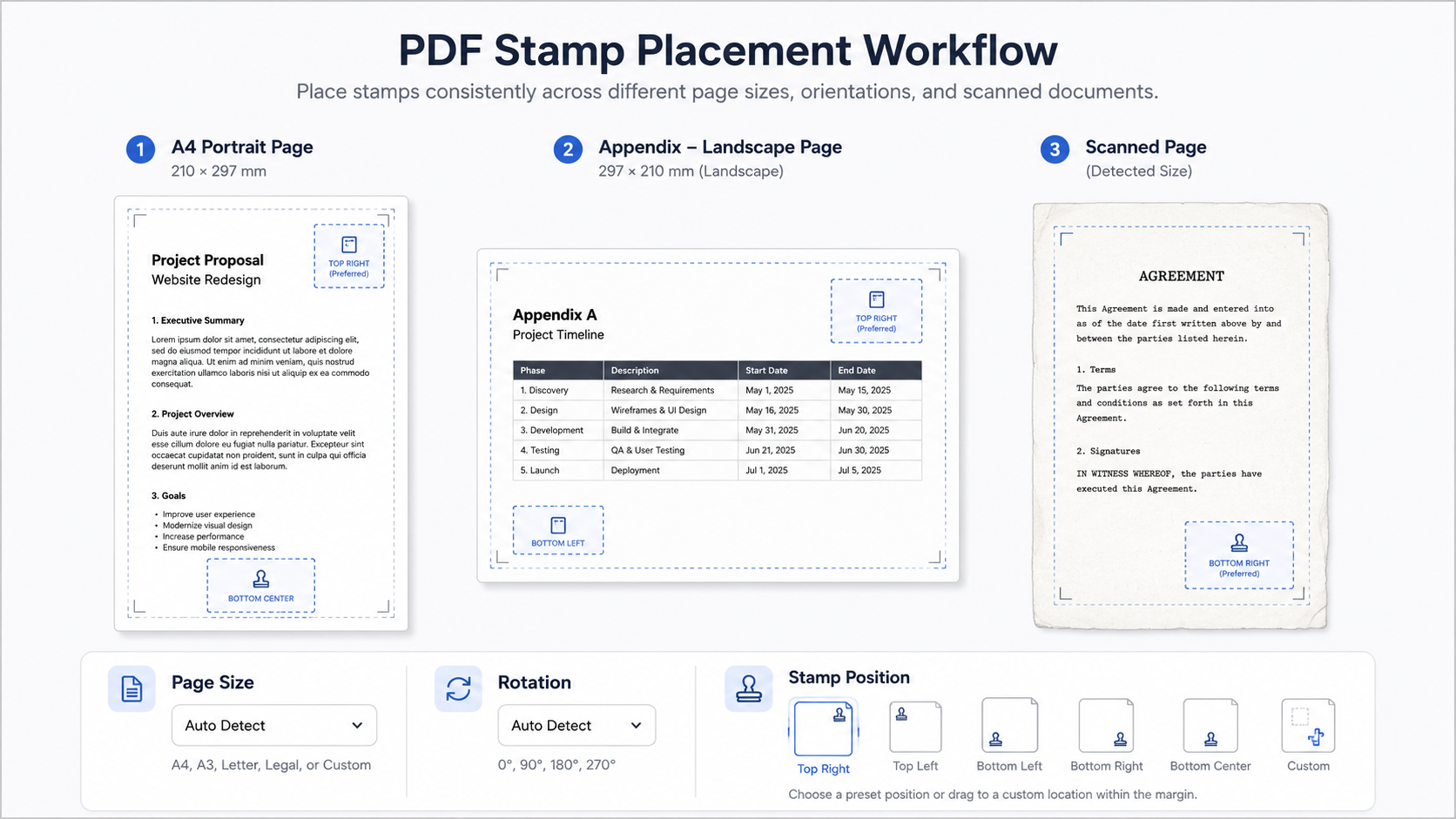
Direct answer: PDF stamps may shift, stretch, or land in the wrong corner when page size and page rotation are ignored. A PDF can...
Test a PDF seal image on three representative pages. Check transparency, halos, empty canvas, resolution, placement, and the exported file before release.