Executive Brief:
When handling PDF stamping, most office workers ask a single mechanical question: “Can the stamp image be applied smoothly?” However, within legal, procurement, human resources, and financial operations, the definitive questions are far more strategic: Is this data allowed to cross the network perimeter? Is cloud ingestion permitted, or is local sandbox isolation mandatory? For IT administrators and webmasters, PDF stamping is not a mere format utility—it is a critical data compliance threshold. Selecting the wrong pipeline introduces serious liability gaps, version chaos, and data exposure leaks.
I. Pre-Stamping: Establishing Your Document Sensitivity Matrix
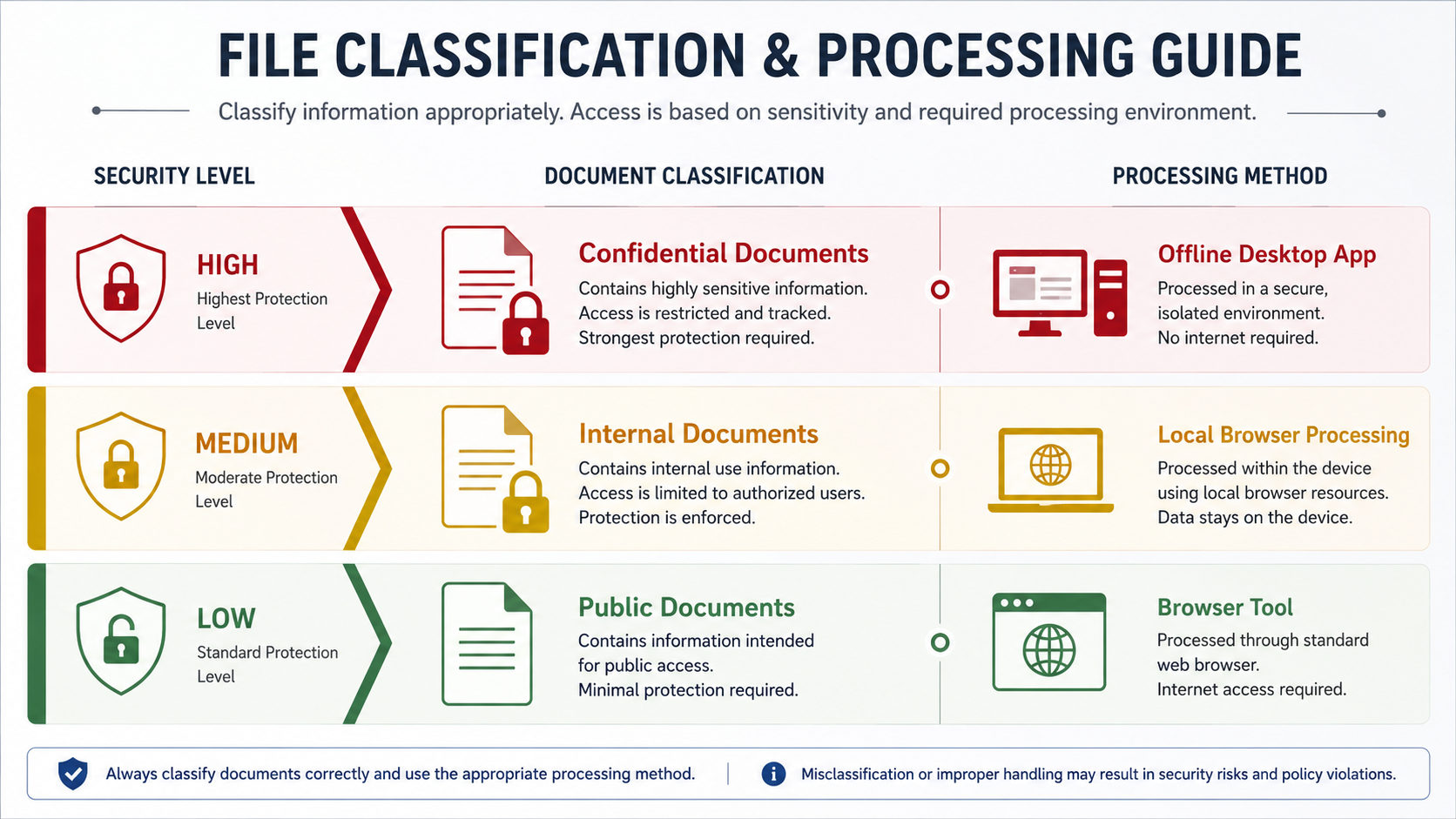
Before instructing personnel to engage online processors, browser scripts, or offline binaries, establish an immutable three-tier document classification schema:
Includes marketing materials, product specifications, general notices, and public guides. Data leaks carry near-zero downside. Best handled via high-efficiency browser-side tools.
Includes internal quote sheets, divisional sign-offs, meeting logs, and vendor notes. Restricted from public distribution. Best assigned to client-side web sandboxes (WASM).
Includes legal agreements, fiscal credentials, payroll records, identity scans, and account details. Cloud uploading is strictly prohibited. Requires dedicated offline desktop applications.
II. Evaluating PDF Processing Architectures
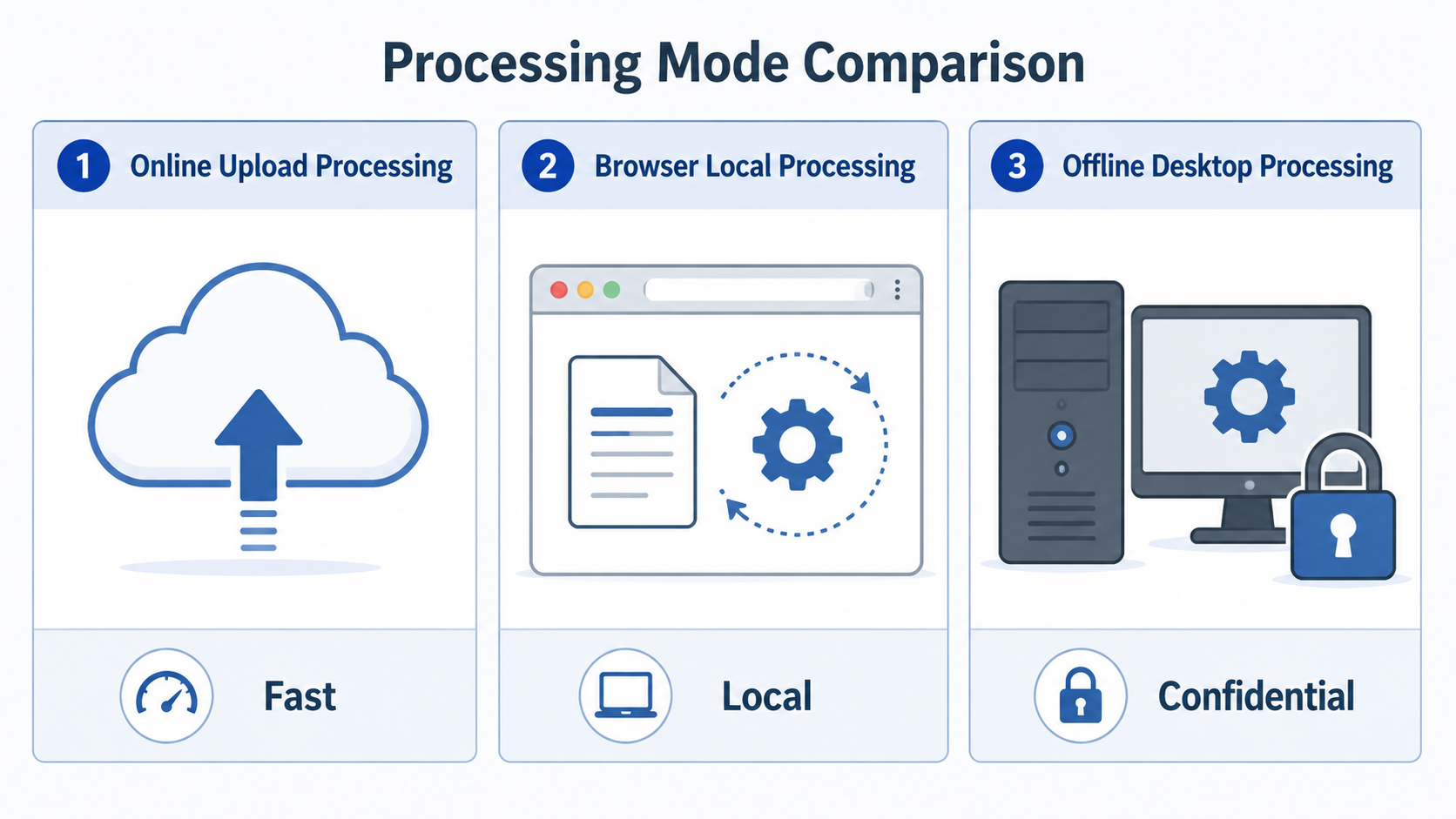
| Architecture | Core Benefit | Risk Profile | Optimal Enterprise Match |
|---|---|---|---|
| Standard Online Cloud | Zero footprint, easy access | Exposes data to remote host servers | Public literature, unlinked brochures |
| Local Browser Engine | WASM-driven client isolation | Limited by browser memory bounds | Internal office reports, fast visual overlays |
| Offline Desktop Clients | 100% physical runtime separation | Requires software application launch | Core contracts, fiscal records, payroll lists |
| Serverless PKI API | Cryptographic validation, full audit trails | High infrastructure engineering costs | Enterprise-scale contractual e-signing networks |
💡 Operational Note: Ensure personnel understand that a visual stamp layer (merely superimposing a transparent PNG seal image over a layout) does not constitute a legally binding cryptographic digital signature (which utilizes PKI frameworks to lock data blocks against manipulation).
III. The 4-Dimensional Pre-Stamping Compliance Checklist
🔍 1. Provenance & Version Control
- Is the file incoming from a vetted, trusted collaborator channel?
- Is this the frozen, post-review final release completely stripped of track-changes?
- Does it contain raw markups, draft flags, or messy unformatted pages?
🔒 2. Perimeter Protection & Privacy Audit
- Does the document hold PII (National ID strings, residential profiles, personal account numbers)?
- Are hidden corporate parameters, pricing structures, or custom trade secrets exposed?
📐 3. Stamp Layout & Rendering Rules
- Are configuration rules clear? (All pages / targeted pages / edge-splitting style)
- Does the image layer require specific dimensions, custom rotations, or transparency tweaks?
💾 4. Output Control & Post-Review
- Does the stamped file name clearly distinguish itself from the raw master copy?
- Has a physical manual view check been performed to ensure zero artifact shifting?
IV. Management Pitfalls: Confounding Convenience with Data Security
Without clear operational guardrails, internal staff frequently drop files into arbitrary online tools occupying premium positions on search engines. This unvetted approach introduces serious risk vectors:
-
- No oversight regarding whether third-party nodes cache structural data pools long-term;
- Zero confirmation that files are kept away from external data analytics, AI model training, or error logging;
While low-risk for public files, for contract, fiscal, or HR documents, processing security is an auditing item.
V. Recommended Framework: Low-Risk Web, High-Risk Offline
IT administrators must present a balanced tool deployment strategy to the workforce:
• Agile Web Sandboxing: For public notices, audited guide sheets, or simple internal image tags, prioritize zero-install browser-based web local tools. This solves user access friction while guaranteeing zero network egress to cloud platforms.
• Mandatory Desktop Isolation: For contractual boundaries, human resource files, and foundational fiscal books, enforce a locked-down offline desktop client architecture. Data remains strictly locked to local physical memory, completely neutralizing leak risks.
🛠️ Operational Selection Guide (CTA)
If your daily tasks only involve public data layouts, adding basic image stamps, or edge seals, utilize our Online Local PDF Sign & Stamp Tool to run everything safely inside your browser.
If you are executing core agreements, identity dossiers, legal certificates, or financial records, please use the PDFQFZ.WPF Offline Desktop Application to lock your workflow completely inside your local desktop environment.
The rule is simple: The more sensitive the asset, the more it belongs to offline physical isolation.